Warehouse Automation in e-Commerce: Benefits, Technologies and Best Practices
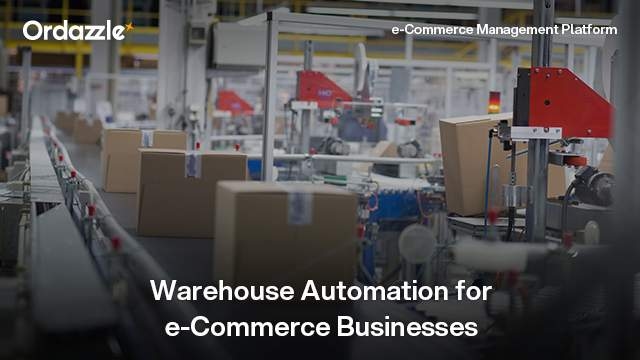
A warehouse may process 200 orders comfortably on a normal day. But what happens when a promotional campaign pushes that number to 2,000?
Warehouse teams must receive stock, locate products, pick the correct quantities, pack orders and prepare shipments within promised timelines. When these activities depend heavily on spreadsheets, paper picklists and manual updates, increasing order volumes can quickly create bottlenecks.
Warehouse automation helps e-Commerce businesses manage this complexity by reducing repetitive tasks, improving inventory visibility and making fulfilment processes more consistent.
A warehouse management system (WMS) provides the digital foundation for these operations. It helps coordinate inventory movements, warehouse locations, picking, packing and dispatch, while other automation technologies can support specific physical tasks.
The right approach is not necessarily to automate everything. It is to identify where delays and errors occur and introduce technology that addresses those problems.
What Is Warehouse Automation in e-Commerce?
Warehouse automation involves using software, equipment or a combination of both to reduce manual intervention in warehouse activities.
These activities can include receiving goods, updating inventory, assigning storage locations, generating picklists, confirming picked quantities and preparing orders for dispatch.
There are two broad types of warehouse automation.
Digital or process automation uses software to manage warehouse information and workflows. Examples include automated picklist generation, inventory updates, barcode-based verification and guided picking.
Physical automation uses equipment to move, sort, store or retrieve products. Examples include conveyors, automated storage and retrieval systems, and warehouse robots.
Both can improve warehouse operations, but they solve different problems.
For many growing e-Commerce businesses, implementing WMS software and improving warehouse processes is a practical starting point before investing in expensive physical automation.
Key Benefits of Warehouse Automation
1. Faster Order Processing
Manual picking often requires warehouse staff to locate products using printed lists or personal knowledge of storage locations.
This becomes inefficient as SKU counts increase.
A WMS can generate structured picklists and guide staff through warehouse locations, helping reduce unnecessary movement.
For example, instead of collecting items for each order individually, a warehouse may use batch picking to collect products for several orders during one picking run.
The appropriate method depends on order profiles and warehouse layout.
Business impact: More consistent picking workflows can shorten order-processing times and help teams meet dispatch deadlines.
2. Improved Inventory Accuracy
Inventory records become unreliable when stock movements are not captured consistently.
Products may be received but not recorded, moved between bins without updates or picked in incorrect quantities.
These discrepancies can affect order fulfilment and replenishment decisions.
Warehouse automation supports more structured inventory tracking through location-based records and transaction verification.
For example, barcode scanning can help confirm that the correct SKU and quantity have been picked.
Business impact: Better inventory accuracy can reduce stock discrepancies, fulfilment errors and unnecessary stock investigations.
3. Fewer Picking and Packing Errors
A customer who orders three products expects to receive the correct items in the correct quantities.
However, similar product packaging, incorrect storage locations and manual verification can increase the risk of mistakes.
Guided picking workflows and scan-based checks help warehouse teams verify order details at different stages.
Packing processes can also use system-generated order information to confirm what should be included in each shipment.
Business impact: More reliable picking and packing can reduce incorrect shipments, customer complaints and avoidable returns.
4. Better Warehouse Space Utilisation
Poor warehouse organisation increases the time required to locate and retrieve products.
Fast-moving items may be stored far from packing stations, while slow-moving products occupy easily accessible locations.
Warehouse management systems can support location-based storage strategies, including ABC classification and warehouse zoning.
For example, frequently ordered products may be placed in locations that are easier to access, subject to storage and handling requirements.
Business impact: Better storage organisation can reduce unnecessary travel and make more effective use of available warehouse space.
5. Greater Control During Peak Demand
Promotional campaigns can create sudden increases in order volumes.
Without standardised processes, warehouse teams may struggle to prioritise orders, monitor pending work and identify bottlenecks.
Automation helps maintain consistent workflows even as transaction volumes fluctuate.
Operational dashboards can also provide visibility into activities such as pending picking, packing and dispatch.
Business impact: Greater workflow visibility helps managers allocate resources and respond to operational pressure during busy periods.
Technologies Used in e-Commerce Warehouse Automation
Warehouse automation does not refer to a single technology.
Different tools support different stages of warehouse operations.
| Technology | Primary Function | Typical Application |
|---|---|---|
| Warehouse Management System (WMS) | Coordinates inventory and warehouse workflows | Receiving, storage, picking, packing and dispatch |
| Barcode scanning | Captures and verifies stock movements | Receiving, putaway, picking and stock counts |
| RFID | Identifies tagged items using radio-frequency technology | Inventory tracking and item identification |
| Pick-to-light systems | Uses visual indicators to guide picking | High-frequency picking locations |
| Voice-directed picking | Provides spoken picking instructions | Hands-free warehouse operations |
| Conveyors and sortation systems | Moves and sorts goods | Packing, sorting and dispatch |
| Autonomous mobile robots (AMRs) | Supports material movement within facilities | Transporting goods between warehouse areas |
| Automated storage and retrieval systems (AS/RS) | Mechanically stores and retrieves inventory | High-density storage environments |
Not every business needs all these technologies.
A warehouse experiencing frequent inventory discrepancies may benefit more from better stock verification and WMS processes than from robotics.
Similarly, a facility with high-volume, repetitive material movement may have a stronger case for conveyors or mobile robots.
The choice should depend on the operational problem being solved.
Where a Warehouse Management System Fits Into Automation
A warehouse management system connects the activities taking place inside a warehouse.
Consider a typical e-Commerce order.
The order is received through a marketplace or webstore and passed to the fulfilment operation.
The warehouse team must identify the relevant stock, pick the required products, complete packing and prepare the shipment.
A WMS provides the workflow structure for these activities.
The benefit of WMS software is that warehouse activities can follow defined processes rather than relying on disconnected instructions.
When the WMS is integrated with order management, inventory and logistics systems, information can also move more consistently between the warehouse and the wider e-Commerce operation.
Also read: Warehouse Management System Integration: Why It Matters for Modern e-Commerce
Best Practices for Implementing Warehouse Automation
Start With the Biggest Operational Bottleneck
Businesses should avoid selecting automation technology before understanding where warehouse performance is falling short.
For example, delayed dispatch may result from slow picking, poor inventory accuracy or late carrier collection.
These problems require different solutions.
Start by reviewing order-processing times, picking errors, stock discrepancies and warehouse travel patterns.
Prioritise improvements that address recurring operational problems.
Standardise Warehouse Processes Before Automating Them
Automation works best when the underlying process is clearly defined.
If warehouse teams follow different receiving or picking procedures, introducing software may simply digitise existing inconsistencies.
Businesses should establish standard workflows for receiving, putaway, picking, packing, stock adjustments and returns.
Clear process ownership also helps teams understand who is responsible for each activity.
Maintain Accurate SKU and Location Data
A WMS depends on reliable information about products and warehouse locations.
Incorrect SKU identifiers, duplicate records or inconsistent bin labels can undermine automation.
Before implementation, businesses should review product masters, warehouse location structures and inventory records.
Physical stock verification may also be necessary to establish a reliable starting point.
Integrate Warehouse Operations With Other Systems
Warehouse automation delivers greater value when order and inventory information can move between connected applications.
For example, an order management system may allocate an order to a warehouse, while the WMS manages picking and packing.
Once the order is dispatched, shipment information may need to flow to logistics and customer-facing systems.
Businesses should define which system owns each data element and how updates will be exchanged.
This reduces the risk of conflicting information across operations.
Train Warehouse Teams and Introduce Changes Gradually
Even well-designed automation can fail when employees are unfamiliar with new workflows.
Warehouse staff should understand how to use devices, confirm stock movements, report exceptions and handle system interruptions.
A phased rollout allows businesses to test processes before extending them across the entire warehouse.
For example, a business could begin with one picking zone or product category, evaluate the results and then expand.
Measure Results After Implementation
Automation should be evaluated against operational performance, not simply whether the technology has been installed.
Businesses should establish baseline measurements before implementation and compare them with results after deployment.
| KPI | What It Measures |
|---|---|
| Order picking accuracy | Percentage of order lines picked correctly |
| Order processing time | Time taken to move an order through warehouse processing |
| Inventory accuracy | Agreement between system records and physical stock |
| Orders processed per labour hour | Warehouse processing productivity |
| On-time dispatch rate | Orders handed over within required timelines |
| Return rate due to fulfilment errors | Orders returned because of warehouse mistakes |
Tracking these indicators helps businesses identify whether automation is improving efficiency and where additional changes are needed.
How to Choose the Best WMS for e-Commerce
The best wms for e-Commerce is not necessarily the system with the longest feature list.
It is the one that fits the business's warehouse processes, order volumes, sales channels and future growth requirements.
For example, a D2C business operating one warehouse may prioritise inventory accuracy, mobile picking and ease of implementation.
A larger business handling multiple brands and fulfilment locations may require more advanced location management, operational visibility and system integrations.
When evaluating WMS software, consider the following:
| Evaluation Area | Questions to Ask |
|---|---|
| Inventory visibility | Can the system track stock by warehouse, zone, bin and rack? |
| Picking and packing | Does it support the workflows used by warehouse teams? |
| Integration | Can it connect with existing order, inventory and logistics systems? |
| Scalability | Can it support additional SKUs, orders and warehouse locations? |
| Returns management | Can returned stock be inspected and processed correctly? |
| Ease of use | Can warehouse staff learn and operate the system efficiently? |
| Reporting | Can managers monitor productivity and fulfilment performance? |
| Implementation | What data preparation, training and process changes are required? |
Businesses should also evaluate the total cost of ownership, including software, implementation, integrations, devices, training and ongoing support.
A practical demonstration using real warehouse scenarios can help determine whether the system meets operational requirements.
How Ordazzle Supports e-Commerce Warehouse Automation
For businesses looking to improve warehouse efficiency, the priority is often to reduce manual coordination across inventory, picking, packing and dispatch.
Ordazzle's Warehouse Management System supports these activities through mobile-led workflows and centralised operational visibility.
According to Ordazzle's official product page, its WMS includes:
- Automated picklists and optimised picking routes: Helps teams organise picking activities and reduce unnecessary warehouse movement.
- Packing and manifest generation: Supports preparation of orders for dispatch.
- Real-time operational dashboards: Provides visibility into warehouse activity and performance through mobile Mission Control dashboards.
- Inventory visibility across zones, bins and racks: Helps teams locate stock and manage warehouse storage.
- ABC classification and smart zoning: Supports more structured inventory placement.
- Mobile receiving and putaway: Helps manage inbound stock movements.
- Returns, quality checks and restocking: Supports reverse logistics workflows.
- Offline-capable, voice-guided mobile picking: Supports warehouse picking workflows when connectivity is interrupted.
Ordazzle also positions its WMS as cloud-native and suitable for high-volume, multi-brand warehouse operations.
These capabilities are relevant to e-Commerce businesses that want to introduce process automation without necessarily beginning with physical robotics or major warehouse infrastructure changes.
The focus is on connecting warehouse information with everyday fulfilment activities so teams can work with more accurate information and consistent processes.
Conclusion: Build Warehouse Automation Around Operational Needs
Warehouse automation is not simply about replacing manual work with technology.
It is about making warehouse operations more accurate, consistent and easier to manage as e-Commerce businesses grow.
From inventory tracking and picking to packing, dispatch and returns, each process presents opportunities to reduce repetitive work and improve fulfilment performance.
A warehouse management system provides the foundation for coordinating these activities, while additional automation technologies can be introduced where they deliver clear operational value.
For businesses evaluating warehouse automation, the most effective starting point is to understand current bottlenecks, establish reliable processes and choose technology that supports measurable improvements.
Explore how Ordazzle helps e-Commerce businesses manage warehouse inventory, picking, packing and dispatch through connected WMS workflows.
Common Questions e-Commerce Leaders Ask
What is warehouse automation in e-Commerce?
Warehouse automation involves using software and equipment to reduce manual work in activities such as receiving, inventory tracking, picking, packing and dispatch. It can include digital workflows, scanning technologies and physical automation equipment.
How does a warehouse management system support automation?
A warehouse management system coordinates inventory records, warehouse locations and operational workflows. Depending on its capabilities, it can automate picklist creation, guide warehouse staff, track stock movements and support packing and dispatch.
What is the difference between WMS software and warehouse robotics?
WMS software manages warehouse information and processes, while robotics automates physical activities such as moving, storing or retrieving goods. The two technologies can work together but are not interchangeable.
How do I choose the best WMS for e-Commerce?
Evaluate the system's inventory visibility, picking and packing capabilities, integration options, scalability, returns management and ease of use. The best solution depends on your operational requirements rather than the number of features offered.
Can small e-Commerce businesses benefit from warehouse automation?
Yes. Smaller businesses can begin with practical improvements such as barcode scanning, digital inventory records and structured picking workflows. Physical automation may become relevant as order volumes and operational complexity increase.